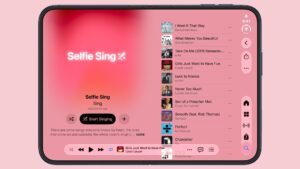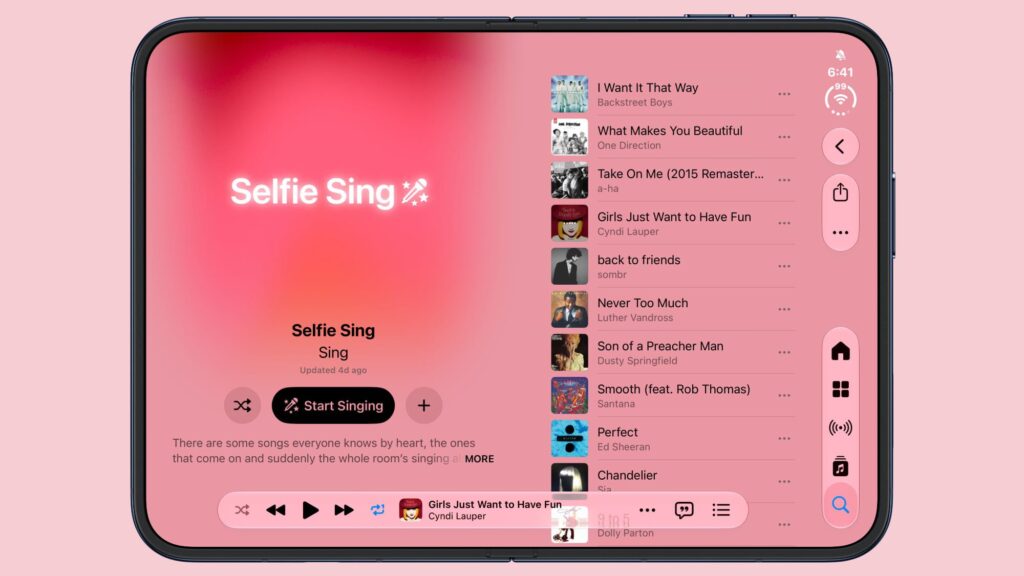
iOS 27.3 adds a new “Selfie Sing” feature in Apple Music that allows users to record themselves singing a song.
There’s a dedicated Selfie Sing playlist and a selfie camera view that displays lyrics on the screen while also recording a video. Apple has a description of the feature:
There are some songs that everyone knows by heart, the ones that come on and suddenly the whole room is singing together. This playlist is full of them, each ready to become your next Selfie Sing. Choose your favorite, record a singing selfie, add microphone effects to your voice, then save or share your selfie video with whoever you want. Nothing perfect is required: just you, the song and the moment. Oh, and make sure you’ve updated to the latest iOS before getting started.
Once you’ve selected a song, you can tap the camera icon to start a Selfie Sing. Tapping the red button starts recording and the lyrics begin to scroll. When a song is finished, there are options to change the volume of your voice or add an effect. Options include Megaphone, Echo, Concert Hall, and Studio. Videos can then be saved to your Photos library or shared.
Here’s your first look at Selfie Sing, new in iOS 27.3, inside Apple Music. Record a selfie video, adjust your voice to make it your own, and share your performance with friends (Animoji isn’t available for this feature, I used it so I wouldn’t have to post a video of me singing) — Aaron (@aaronp613) November 4, 2026
Songs on the Selfie Sing playlist include Aretha Franklin’s “Respect,” Cyndi Lauper’s “Girls Just Wanna Have Fun,” Madonna’s “Like a Virgin,” Oasis’ “Wonderwall,” Duran Duran’s “Hungry Like the Wolf” and Britney Spears’ “Baby One More Time.”
There isn’t an option to record a Selfie Sing to every Apple Music song, but that may be something coming in the future. Selfie Sing appears to be an extension of the karaoke feature of Apple Music Sing that released in iOS 16.2.
The Selfie Sing playlist appears on iPhones running iOS 27.2, but the option to enable the front-facing camera is only available on devices running iOS 27.3 beta.
Popular stories
Apple Music has a hidden iPod you can play with
Apple Music has a 404-page Easter egg on the web: a working iPod that appears when you load a page that doesn’t exist, like music.apple.com/macrumors. “Page not found,” Apple says. “Give it a spin instead.” Apple is smart about this. But if you navigate to music.apple.com/ipod, the page says “Looking for something?” instead of “Page not found”. The Easter egg is just…
The new look of Apple Music has been officially announced
Following the introduction of a new Apple Music logo and app icon earlier this month, Apple today officially unveiled the new Apple Music brand identity. In a YouTube video shared today, Apple said the new Apple Music visuals were “created by sound.” More specifically, Apple said it played a sound through a container filled with water, making the liquid move at the frequency of the notes. Apple…
Apple Music will have a new logo
It looks like Apple is rolling out a new logo for Apple Music in its next round of software updates. The logo was spotted in both macOS 27.2 beta 3 and iOS 27.2 beta 3, and is identical to the one Apple used in its Apple Music Hall announcement last month. When Apple used the logo in corporate press materials and on its new official website, it wasn’t clear whether it was an isolated case…