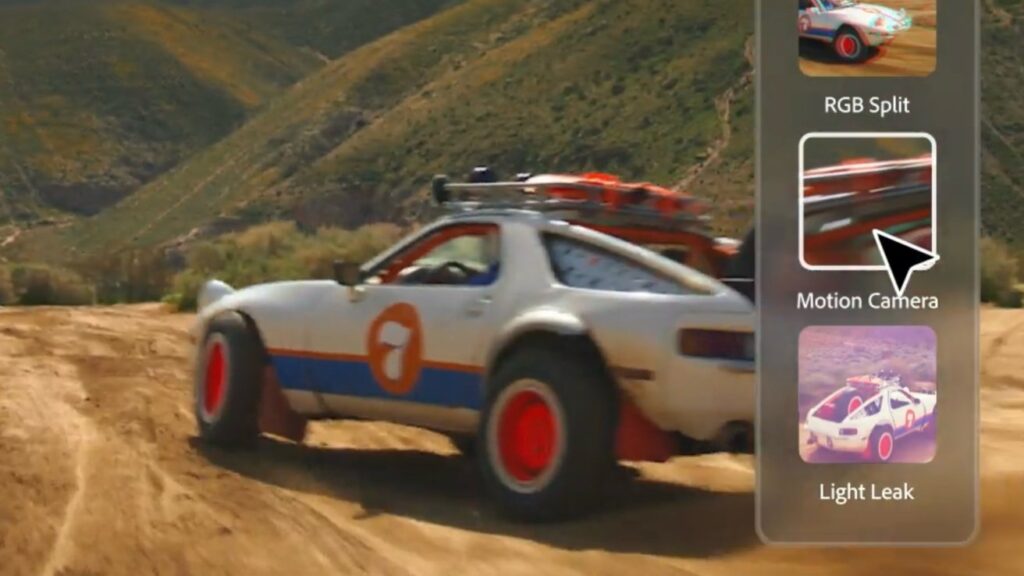
Adobe Premiere offers everyone from the professional to the beginner tools that can do everything from generating scene transitions to overlaying a classic VHS video filter.
You’ve already captured the footage you need and have the perfect instructions in mind to take your video project from idea to reality. The fact is, you need the best post-production transition and special effects tools to get the job done.
With Adobe Premiere, included in Adobe Creative Cloud Pro, you can complete your project with ease. Don’t worry, this isn’t a tool that takes creative control, but it is one that ensures you make every decision along the way, even when AI tools are involved.
Get Adobe Premiere
Filming your piece should be the hard part, but editing can be daunting in itself. You need to be able to put together all your separate video files, add your own post-production effects, and include the best transitions to get the project done.
Luckily, Adobe Premiere is an all-in-one suite with access to Adobe Firefly AI and third-party plug-ins that can do everything you need. It’s also a great tool for learning things like understanding special effects versus visual effects in video production.
AI-accelerated workflows can help get your project across the finish line faster without sacrificing artistic integrity. Adobe Premiere offers the best tools for merging your clips with professional-grade transitions and overlay video filters, visual effects and more.
Transitions and visual effects
Understanding special effects and visual effects in video production is simple. Think about movies you’ve seen or even the video project you’re currently working on.
Adobe Premiere offers traditional transition tools
Professional directors will build sets and generate real explosions for realistic on-set action. These are considered special effects and are captured by the camera while filming.
Professional or not, epic movie or cat video, you already have the video you need for your project at this point in development. However, there are some improvements you can add while editing.
It’s called a visual effect. Visual effects are developed in post-production using tools such as Adobe Premiere.
Transitions between scenes can also be considered a visual effect. Think about all the wipes there Star Wars and how different those films would be without them.
Generative AI can also help turn a simple scene of your cat walking across a room into a dramatic storyline. It’s all up to your imagination at that point.
Try doing
To get a feel for what Adobe Premiere can do for you, try a simple test project. It’s best not to overdo it when learning the best post-production transition tools, so let’s stick to simple filters and transitions.
Let’s say you want professional-level tools to create a VHS filter in a video. Adobe Premiere is the best option.
With your video clips in the timeline, go to the transition point between two clips. You can insert transition frames using Adobe Firefly’s generative AI or rely on some of the classic transition effects available.
For our test project, VHS Damage is a great transition distortion that uses rotating frame slip, grainy magnetic snow, and authentic color loss from tape decay. Use it together with a VHS filter overlay over the entire video to complete the effect.
Adobe Premiere is not limited by what it offers by default or what it generates with artificial intelligence. Users can install their own third-party plugins to get the effects they want, including VHS video filter tools.
Play with the Effects panel for best results. Combine various settings such as noise and wave distortion to get close to classic VHS distortion.
There are tons of tools available to achieve whatever look you want from your video. When in doubt, try something and remove it using the available adjustment layers.
Adobe Premiere is the best tool for post-production transition tools full of AI-accelerated workflows. It is trusted by professionals and can be a great place for beginners to learn about video production, such as the topics discussed here.