Apple is reportedly planning to revamp how iPhone notifications work in iOS 28, though without further details one can only hope that this is an improvement.
Let’s not exaggerate, because it’s annoying but it’s not exactly the end of the world. Apple will sometimes send notifications to your iPhone that are simply advertisements, but iOS 28 rumors say this may change.
It’s only said that Apple will make some significant changes to notifications. There’s no idea whether that means reducing ads, increasing them, or simply changing the color of the alerts.
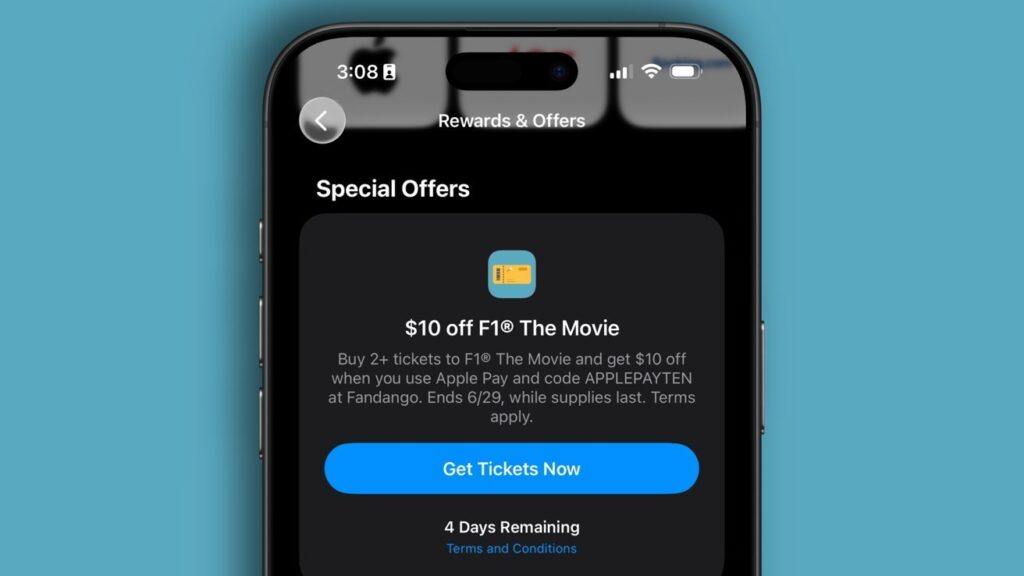
So there’s no evidence that anything significant will change here. But the fact that this is the first thing some think of is a clue that adverts such as the “F1: The Movie” ticket offer have rankled.
Any developer, not just Apple, can send notification ads to the iPhone, but in theory only if the user has expressly agreed to receive them. Only, as noted by MacRumors which also reported the rumor about iOS 28, such an agreement is not necessary.
Users are reporting multiple cases where they have an app with a setting to turn off these ads, but they ignore it. There’s also a general App Store setting that means you can:
- Open the App Store
- Tap your profile photo
- Choose Notifications
- Turn off Tips and Offers
However, presumably this setting is also sometimes ignored. It may not be bypassed per se, however, it may be that the app can convince a user to re-enable permission.
For example, a delivery app might seemingly ask permission to update you on the current order. But then the developer chooses to interpret this as permission to continue with all ads.
It seems unlikely that developers could simply choose to override an App Store setting. But then it is also argued that Apple itself ignores the rules it imposes on other developers.
If so, there’s likely something in the terms and conditions of your iPhone or iOS where accepting them means allowing Apple to advertise.
However, the notification ads keep coming. So the optics are poor for Apple, which would suggest it could do something to improve the matter.
But while, again, it’s not like Apple releases an Apple Arcade game every twenty minutes, the optics aren’t great. Still, it’s hard to imagine what Apple could do that it isn’t already doing, other than perhaps better police the App Store.
However, starting with iOS 26, Apple Wallet has also included a notifications setting. In Wallet, tap the ellipsis button, you can choose Notifications, then turn off New features and updates.
There’s actually no way to force an Apple ad to appear as a test, so it’s unclear whether Wallet and App Store settings will turn off any such notifications. But it’s a start, and perhaps Apple will do more with iOS 28, even as it expands its use of advertising elsewhere as well.