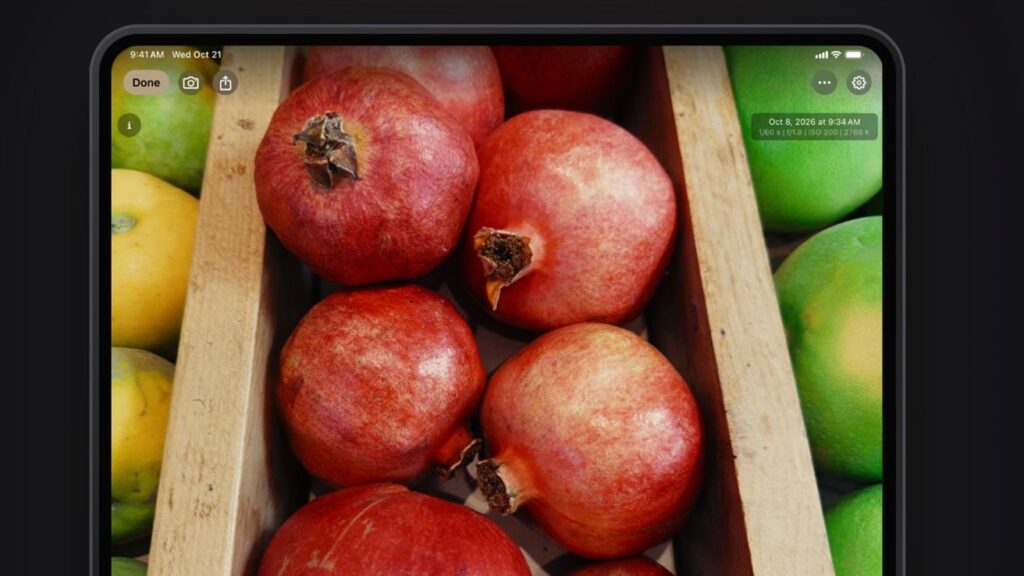
Chromagraph Camera gives iPhone photos the Hollywood treatment for $12.99, but its cinematic look won’t suit every photographer’s tastes.
Rian Johnson has launched Chromagraph Camera, an iPhone photography app that uses image processing developed for his films. The director of “Knives Out” and “The Last Jedi” worked with cinematographer Steve Yedlin and programmer Eric Cameron to bring Chromagraph Camera to the App Store.
So I recently pushed my cinematographer @steveyedlin to make my ideal iPhone camera app. It shoots in RAW, bypasses the iPhone’s appearance processing, and instead uses the same image processing we use in our films. https://t.co/makZzhFd2Q
— Rian Johnson (@rianjohnson) October 28, 2026
Chromagraph Camera captures RAW image data and bypasses Apple’s standard photo rendering in favor of the team’s custom processing. Yedlin mentioned on Instagram that the app uses the same processing math as his film work, but is adapted for Apple cameras.
The approach gives photographs the team’s preferred treatment of color, tone, grain and halo. Users can also adjust color, tone, and texture, rather than relying entirely on the app’s signature look.
If you’re interested in trying it out, you can purchase it on the App Store for a one-time cost of $12.99.
It feels cinematic, for better or worse
I love camera apps. I’m certainly not a full-fledged photographer, but I certainly take a lot of photos.
Like many hobbyists, my photos have their own style. Many of my friends and family have remarked that they can always distinguish my photos from anyone else’s.
I’m not entirely sure this is meant to be a compliment, but I’ll definitely take it as one.
Left: Lettie G. Howard’s rigging (foreground) and Bicentennial Tower (background) | Right: Presque Isle State Park
My usual editing flow is this: I capture an image on my iPhone 17 and then bring it into VSCO to edit. I used to use Halide and will probably go back to it one day; I really enjoy flipping between different apps.
That’s why I bought Chromagraph as soon as Mike showed it to me.
Chromagraph is an interesting app, and like I said, I like trying new things. As a bonus, Chromagraph is a one-time purchase of $12.99.
It’s more or less point and shoot, which is nice. In fact, the first time you open Chromagraph, it suggests you replace your iPhone’s standard camera with it.
I won’t do it, however, for one fundamental reason.
Chromagraph is not a filter app, but it gives your images a very specific look. As the creators said, it replaces iPhone processing with custom app processing that is more in line with what its creators want.
Same subject shot with iPhone’s default camera app versus Chromagraph, both images unchanged
And it definitely looks familiar. If you’ve watched any Blockbusters from the 2010s to today, you’ll know what I’m talking about.
Film critic Katie Stebbins calls it “Intangible Sludge” and it is the hallmark of many Hollywood films nowadays.
for an explicit example of how the Intangible Sludge has become standardized, look no further than a screencap from Season 1 Dexter and a screencap from Dexter: New Blood (please don’t @ me with “but he’s not in Miami anymore”) https://t.co/3ubAZCI32Z
— Katie Stebbins (@_katiestebbins_) November 18, 2021
I should note that these are all personal preferences and I’m not saying that Chromograph isn’t a good app. Chromograph falls more on the David Yates side of the spectrum, while I fall more on the Wes Anderson side.
You can edit photos you take in the app to compensate for the default look. I will say that it’s not at all as intuitive as editing in many other photography apps, including Apple’s Stock Photos app.
This addition is not meant to dissuade you from trying Chromagraph, for the record. It’s $13 and I’ve definitely spent more for less.
However, after trying it, Mike asked me to include my opinion on it.
If you’re looking for an app that gives you a lot of control, Halide is still our recommendation. You can get it for $19.99 a year or pay $69.99 for a lifetime license.