iOS 27 is now rolling out to iPhones worldwide, and it’s one of the more feature-dense updates Apple has shipped in recent years. While the rebuilt Siri AI is grabbing most of the headlines, the update also brings a genuinely large CarPlay overhaul, a major child safety redesign, and a long list of smaller quality-of-life improvements across Messages, Mail, Notes, Photos, and more. Here’s a full look at what’s actually new.
iOS 27 Officially Rolls Out: Release Details
Apple released iOS 27 on Monday, September 14, alongside matching updates for iPadOS, macOS, watchOS, visionOS, and tvOS. The release follows an unusually long public testing period, with Apple pushing out beta versions from June through the end of August to give developers extra time to adjust their apps ahead of general release — a deliberate response to criticism after earlier Apple Intelligence features slipped past their original launch targets in previous years.
Siri AI: The Headline Feature
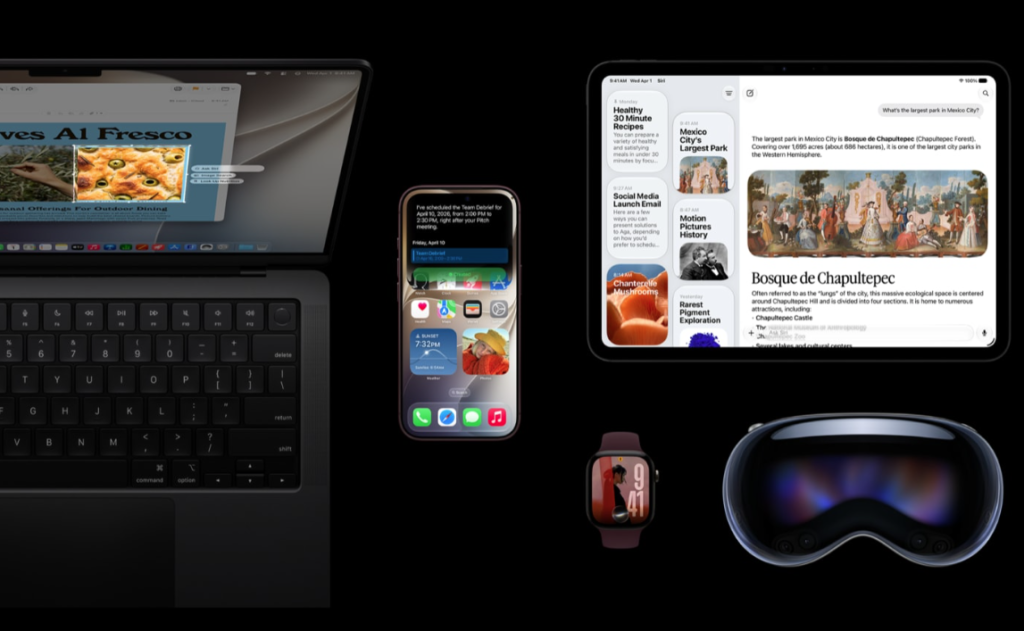
The most significant change in iOS 27 is Siri AI, a complete rebuild of Apple’s voice assistant designed around multi-step conversations and contextual awareness rather than simple one-off commands. It now lives in its own dedicated Siri app, which syncs conversation history across a user’s Apple devices via iCloud, letting someone start a conversation on a Mac and pick it back up later on an iPhone or iPad. Siri AI is rolling out gradually, gated behind an opt-in toggle and, for some users, a waitlist, with full availability limited for now to devices with an A17 Pro chip or newer.
CarPlay Gets Its Biggest Update in Years
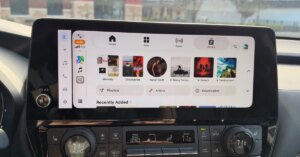
CarPlay is one of the standout beneficiaries of this release. Siri AI now runs as a standalone app inside CarPlay’s interface, accessible through a glowing orb button, with full conversational capability while driving. Video-capable apps can now be browsed and watched through CarPlay for the first time, though playback automatically switches to audio-only the moment the vehicle starts moving, for safety reasons. The interface itself picks up Apple’s Liquid Glass design language, along with a persistent Now Playing mini-player, a proper progress bar for scrubbing through audio, and 14 new wallpapers formatted specifically for in-car displays. Navigation apps can now also share live route data with compatible vehicles, including suggested EV charging stops along a given route.
Messages, Mail and Notes Get Meaningful Upgrades
Beyond the headline features, several of iPhone’s most-used apps received real, practical improvements. Mail finally gets a long-requested overhaul that longtime users have been asking for, while Messages adds a new built-in drawing tool and support for using the same phone number across two separate iPhones simultaneously. Notes now supports Markdown formatting, a small but meaningful addition for anyone using it for more structured writing. Calendar can create events using natural language input, and it can now detect public holidays automatically, prompting users to decide whether they still want previously scheduled alarms to go off on those days.
A Major Push on Child Safety and Screen Time
iOS 27 includes one of Apple’s most substantial child safety updates in years. Screen Time has been completely redesigned, and Apple is rolling out new limits for age-inappropriate websites, expanded communication controls, and more flexible tools for managing exactly when and how kids can use specific apps. The changes extend across Apple’s broader software lineup this cycle, covering iPhone, iPad, Mac, Apple Watch, and Vision Pro rather than being isolated to one device type.
Smaller Features Apple Didn’t Mention on Stage
A long list of smaller changes have surfaced since release that Apple didn’t specifically highlight during its announcement. These include separate, independent volume controls for alarms, the ability to extract individual frames from videos as standalone photos, a new Highlights view in the Weather app, dual-camera support in FaceTime, and speed improvements to both AirPlay and AirDrop. Smaller interface tweaks show up throughout the system too — a new scroll bar on the emoji keyboard, a redesigned timer slider accessible from Control Center, the ability to temporarily hide your location from a specific person in Find My without notifying them, and custom pass creation inside the Wallet app.
Photos, Maps and Health App Updates
The Photos app gains an improved Clean Up tool for removing unwanted objects from images and a more capable version of Image Playground for generating photorealistic images on-device. Apple Maps picks up several refinements as part of the broader iOS 27 release, though the bigger navigation news this cycle is largely tied to the CarPlay improvements described above. On the health side, Apple has added dedicated perimenopause and menopause support inside the Health app, including notifications for cycle deviations related to that transition — a feature area Apple hadn’t previously addressed directly.
Which Devices Support iOS 27
iOS 27 supports the same device list as last year’s iOS 26, with no models dropped from compatibility. That includes the iPhone 11 series onward, the iPhone SE from the 2nd generation forward, and now the newly launched iPhone 18 Pro and Pro Max. However, not every feature reaches every supported device equally — Siri AI and the broader Apple Intelligence feature set require at minimum an A17 Pro chip and 8GB of RAM, meaning iPhones from the 11 through the standard 15 and 15 Plus will receive iOS 27’s interface and non-AI improvements without access to the new Siri experience at all.
How to Update to iOS 27 Today
Updating is straightforward for anyone on a supported device: open Settings, tap General, then Software Update, and select Download and Install if iOS 27 appears as available. Apple recommends connecting to Wi-Fi and keeping the device plugged in during the update to avoid interruptions, and backing up beforehand through iCloud or a computer is worth doing given how many system-level changes this particular release includes. Anyone hoping to try Siri AI specifically should be prepared for a possible waitlist even after installing the update, since Apple is rolling that particular feature out gradually rather than making it available to every eligible device at once.