Starting with macOS 27.3, users can preview Markdown files with the correct formatting directly in Quick Look. Here are the details.
Quick Look gets Markdown support on macOS 27.3
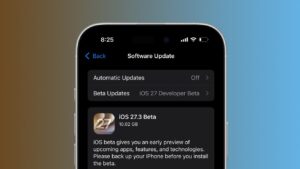
Apple today released macOS 27.3 beta 1, with new Safari features including vertical tabs and adaptive dark mode, expanded Siri AI capabilities, and new tools for third-party developers.
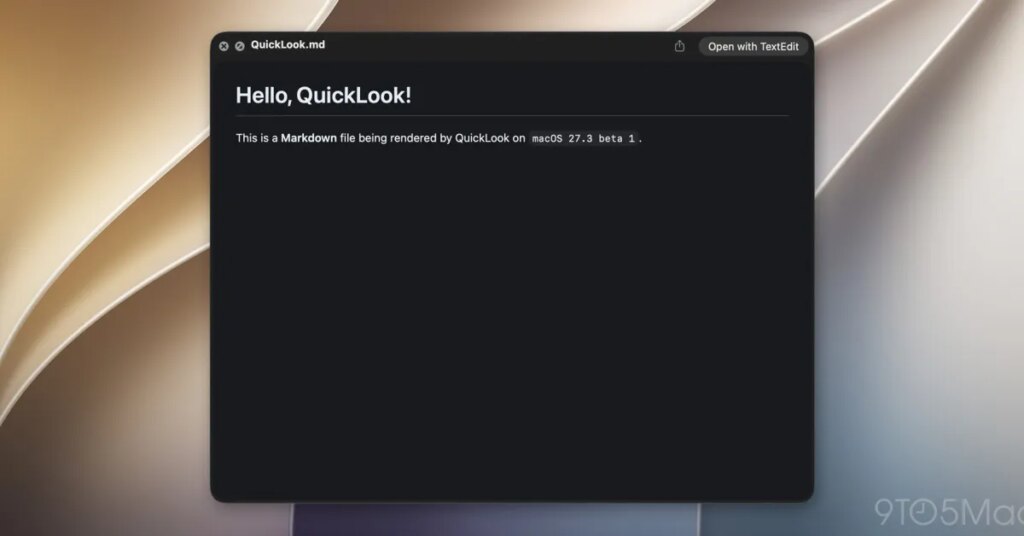
Among the smaller changes coming to the Mac is a welcome improvement to Quick Look. Starting with macOS 27.3 beta 1, .md files are displayed with the correct formatting directly in Quick Look, rather than displaying raw Markdown syntax.
Apple has expanded Markdown support across all of its platforms, including the ability to import and export Markdown files in Notes. Markdown has also become increasingly important with the advent of AI agents, which use .md files to store instructions, context and other information.
In fact, as Federico Viticci noted on X today, Apple’s new Siri AI app skills feature also uses Markdown-based SKILL.md files, allowing developers to provide instructions that help Siri perform complex tasks within their apps.
For those who don’t know, Markdown is a simple text formatting syntax created by John Gruber in 2004 and has since become widely used for writing documentation, publishing content online (including this post), and, more recently, providing instructions to AI agents.
Here’s how Gruber describes Markdown:
Markdown is a text to HTML conversion tool for web authors. Markdown lets you write using a plain text format that’s easy to read and write, then convert it to structurally valid HTML.
In practice, this means you can create headers, bold text, lists, and links using just a few simple characters. Plus, starting with macOS 27.3, you’ll be able to preview results directly in Quick Look, without having to open the file in a separate app.
To learn more about Markdown, follow this link.
It’s worth checking out on Amazon
FTC: We use automatic affiliate links that generate income. Moreover.