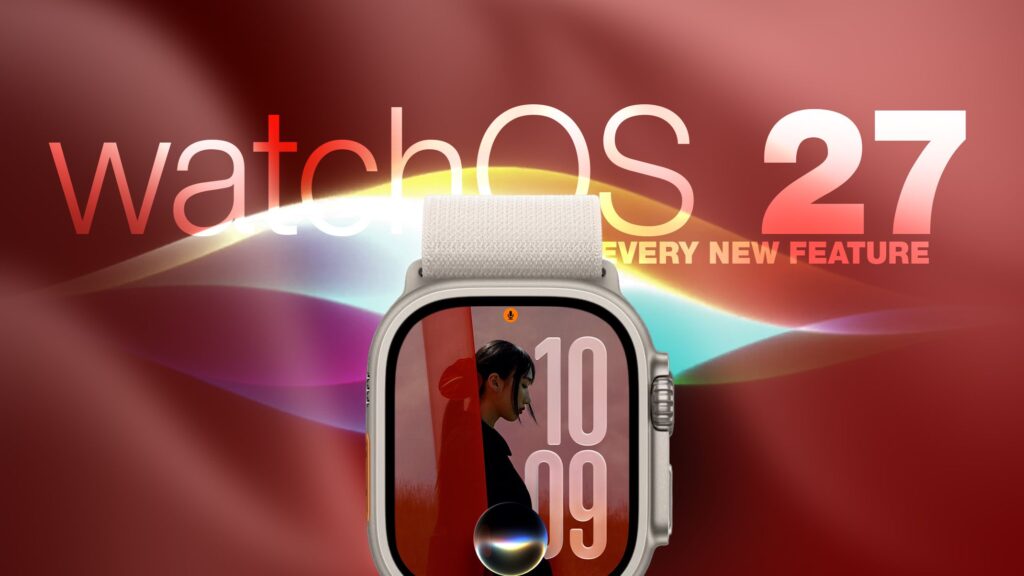
Apple released watchOS 27 on September 14. The features and changes aren’t limited to owners of the new Apple Watch Series 12 and Apple Watch Ultra 4 models. If you have an Apple Watch model that supports the latest update, here are 12 features and changes to check out after installation.
To do this, open the Watch app on your iPhone, then tap General ➝ Software Update, connect the watch to a charger, and follow the onscreen instructions.
Check out the dedicated Siri app
Siri has finally reached the AI revolution and, in addition to having contextual awareness, now has its own app that collects every conversation in a single view and syncs them privately across your devices on iCloud. Simply ask something on your iPhone and you can resume the thread on your Apple Watch, as well as pin conversations worth keeping or even start a new chat right from your wrist.
Try the modular Siri watch face
The new Siri watch face is really useful. Its rectangular complication shows you everything at the top of your Smart Stack and automatically updates throughout the day based on the time, location and other factors.
The dynamic app grid
Pressing the Digital Crown no longer produces a honeycomb app view by default. Now, watchOS 27 displays a dynamic grid of suggested apps, most used apps, and most recently used apps. The Siri app sits in the center, but the alphabetical list remains available – just rotate the Digital Crown to navigate through all your apps.
New tap gesture
Apple added a third gesture to the double tap and flick of the wrist. The new one is simply called Tap. A single tap of your index finger and thumb opens the highlighted widget in the Smart Stack. You can still navigate the Smart Stack with a double tap and dismiss notifications with a simple flick of the wrist.
The walkie-talkie has been eliminated
The walkie-talkie is gone and not simply hidden. The app is not available after updating to watchOS 27 and cannot be reinstalled from the App Store. You can keep the app while remaining on watchOS 26, but you won’t be able to start a conversation with a contact who has upgraded.
Live rewind (not yet)
This is the change most likely to surprise people. In watchOS 26 and earlier, a double-press of the Digital Crown opens the app switcher, where you can return to the previous app, scroll through recent ones, and swipe to force quit any misbehaving.
This has changed in watchOS 27, where a double-press shows the new dynamic app grid instead. The gesture has been reserved for Live Rewind, an upcoming feature (exclusive to Apple Watch Series 12 and Ultra 4) that produces a transcript of the last fifteen seconds of speech in your environment.
Luckily, the App Switcher will still be available when watchOS 27.2 releases later this year, but it will open with a different gesture. If you’re already using the latest beta, simply long press at the bottom of the app you’re in and this should open the app switcher.
Find My is now a single app
Find Devices, Find Items, and Find People have been brought together into a single Find My app with a map-centric layout, which also includes shortcuts for directions and nearby items.
The training partner no longer needs your iPhone
Introduced in watchOS 26, Workout Buddy previously required your iPhone to be in range. In watchOS 27, your Apple Watch can run it if Wi-Fi or cellular is available. It also draws new insights from your training history, tracking gradual progress in pace, distance and training duration, and now speaks Spanish and English.
New cycle tracking features
Cycle tracking in the Health app can now alert you if your recorded patterns suggest perimenopause, along with symptom tracking and educational material. Notifications are based only on recorded cycle history and apply to users aged 40 and above. Apple says the feature is not a method of birth control and is not a diagnosis.
The distance of the treadmill is more precise
In watchOS 27, new machine learning motion algorithms measure distance more accurately for indoor runs and walks, and Apple says the improvement starts from the first step, rather than plateauing after a few minutes. The fitness route maps are also more precise and the step count finally remains synchronized between the Fitness and Health apps.
The Intelligent Stack has much more to say
The Smart Stack’s contextual suggestions are now much smarter. Some examples provided by Apple include new widgets that show the location of the parked car, the birthday of a close contact, a change in the transport card balance, the Noise app immediately after a loud alert, a reminder that theater mode is still active, pinned messages, celebrations and ID cards.
New models get a pedometer
On Apple Watch Series 12 and Apple Watch Ultra 4, the redesigned pedometer model and S11 chip enable watchOS 27 to provide more accurate step counts. There’s also a new Steps complication on the latest models to track your steps in real time, right from the dial. Will we see the feature come to older devices? Your guess is as good as ours.